Typography Stylist
Typography Stylist
Your fonts have more letters than WordPress shows you. Typography Stylist brings the swashes, stylistic sets, ligatures, and alternate characters in your fonts into the block editor. Styled text stays readable to screen readers.
Glyphs Panel: Access Every Character
Glyphs Panel: Access Every Character
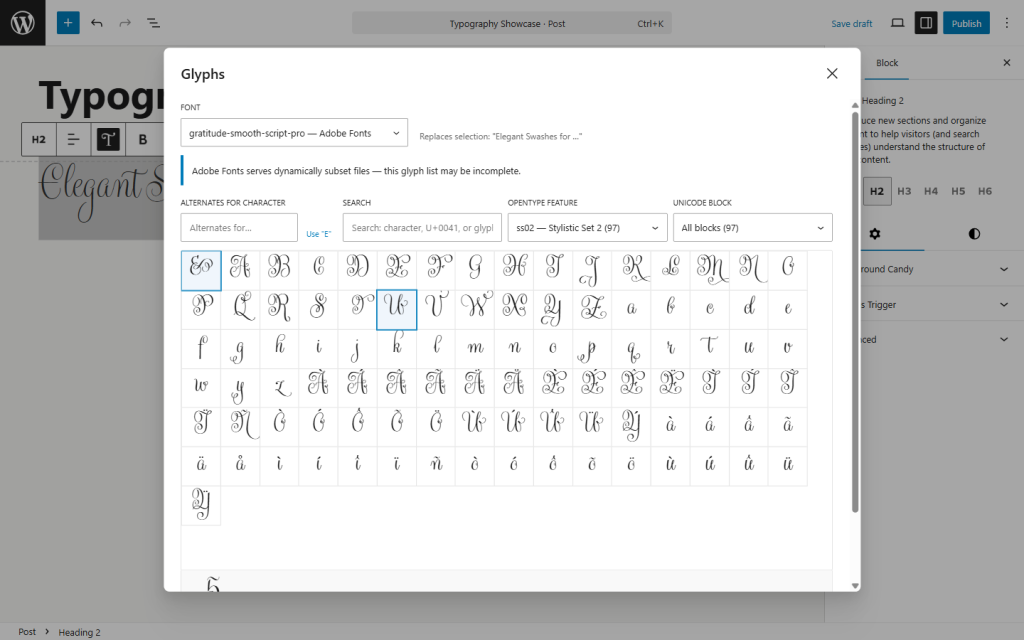
The Glyphs Panel shows every character in a font. That includes alternates with no Unicode codepoint of their own, which exist only as OpenType substitutions. Click a glyph to insert it. Select a letter in your text to see its alternates, then click one to swap it in.
Search by character, glyph name, or codepoint. Filter by stylistic set, OpenType feature, or Unicode block. Move through the grid with the keyboard; screen readers announce each glyph.
The panel reads the font in your browser, and it reads only the font’s metadata. It never extracts glyph outlines and never stores font data on your server.
Paragraph Styles
Paragraph Styles
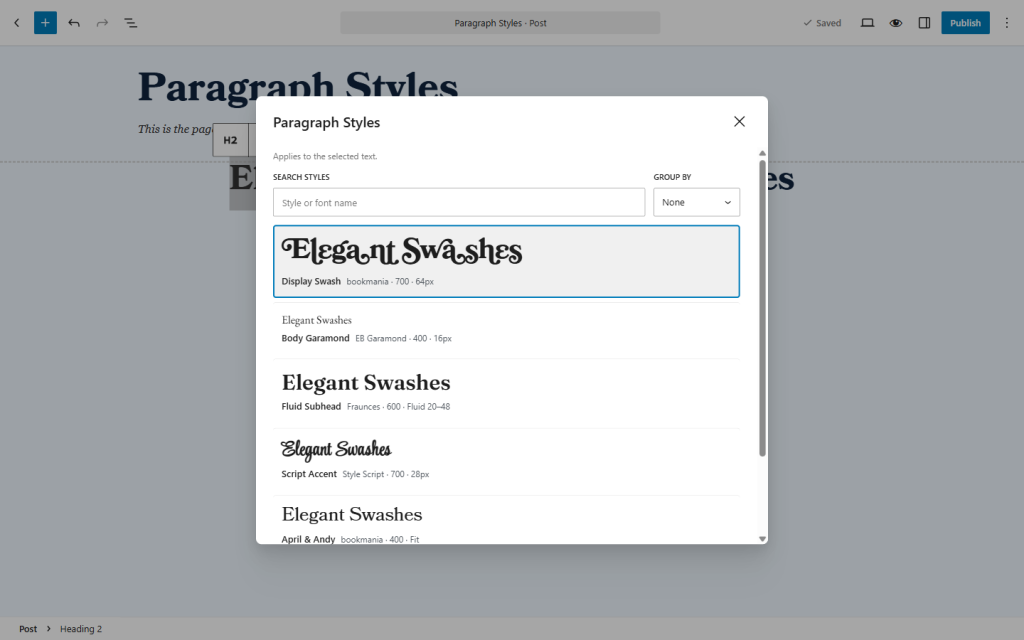
Save a set of typography settings as a named style, the way you would in InDesign. Apply it to any heading, paragraph, or Typography Stylist block. Change the style, click Update Style, and every use of it changes too.
Control Down to One Letter
Control Down to One Letter
- OpenType features. Ligatures, swashes, stylistic sets ss01 to ss20, small capitals, figure styles, and more.
- Variable fonts. The plugin reads each axis from the font file and gives it a slider. Set a weight of 435, not only 400 or 700.
- Size. Fixed, responsive, or fit-to-width, where each line fills the width of the block.
- Fonts. Upload webfont kits, connect Adobe Fonts, or use the WordPress Font Library.
Your pages get CSS only. The plugin adds no JavaScript to the front end.
Styled text that screen readers can still read
Styled text that screen readers can still read
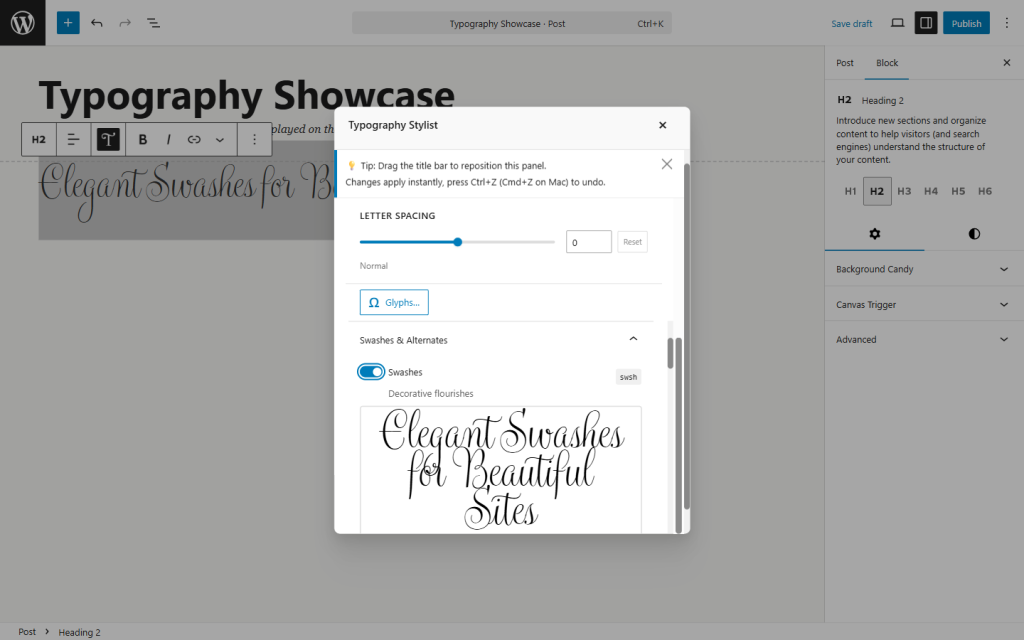
To style part of a word, the editor wraps that part in its own element. Do that a few times in a headline and some screen readers read the word in pieces, or skip parts of it.
The Typography Stylist block outputs the text twice: once as a plain, unbroken string for screen readers, and once as the styled version, hidden from assistive technology. If you style part of a word in an ordinary heading, the editor tells you and offers to convert the block.
Why I built it
Why I built it
I’m an accessibility consultant and developer. I wanted expressive type on client sites without breaking those sites for screen reader users, so I built the tool that does both. If your site needs that kind of care, see how I work with clients.
Free under GPLv2 or later. Requires WordPress 5.8 or later and PHP 7.4 or later. Translated into Spanish and French.