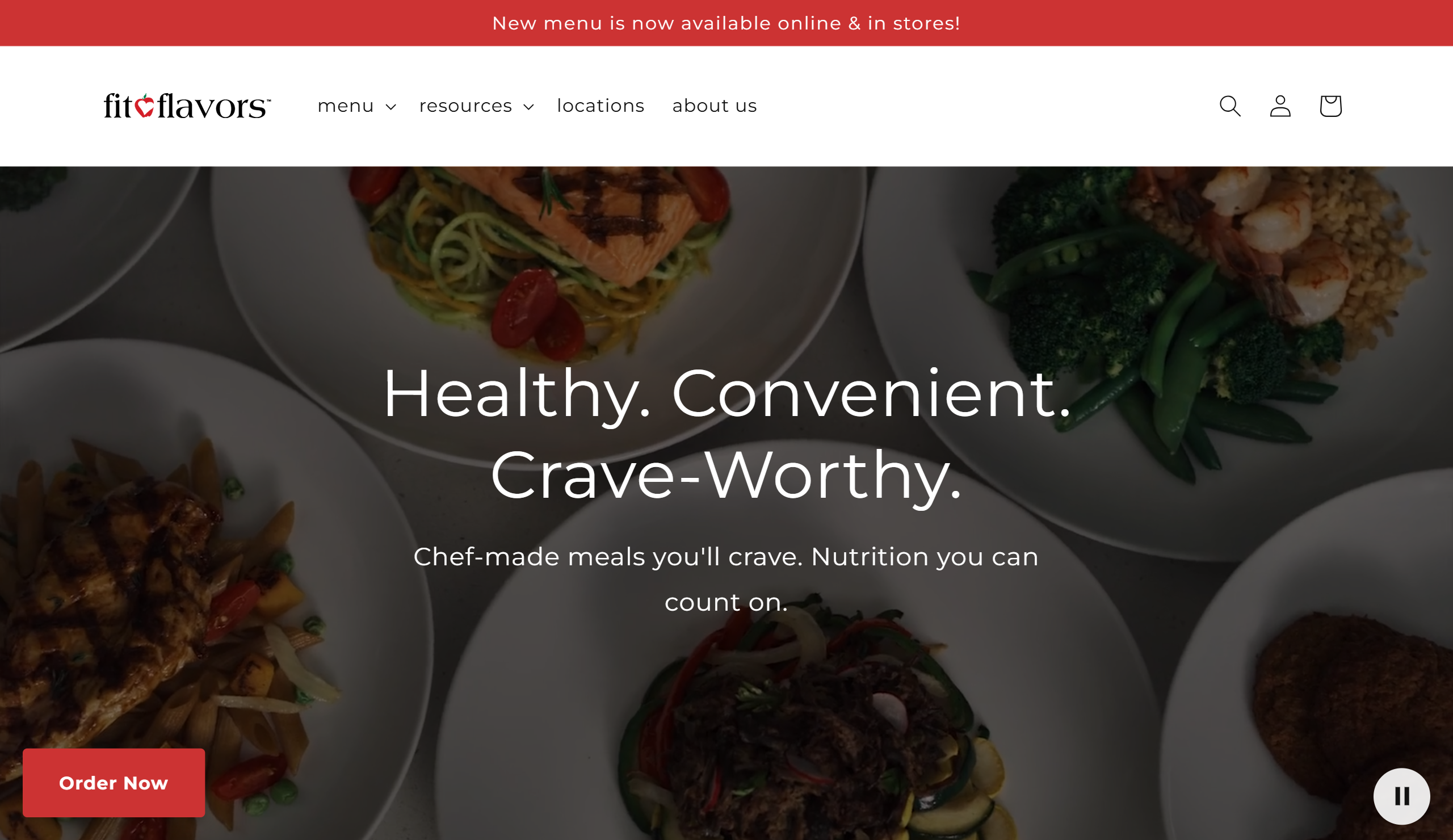
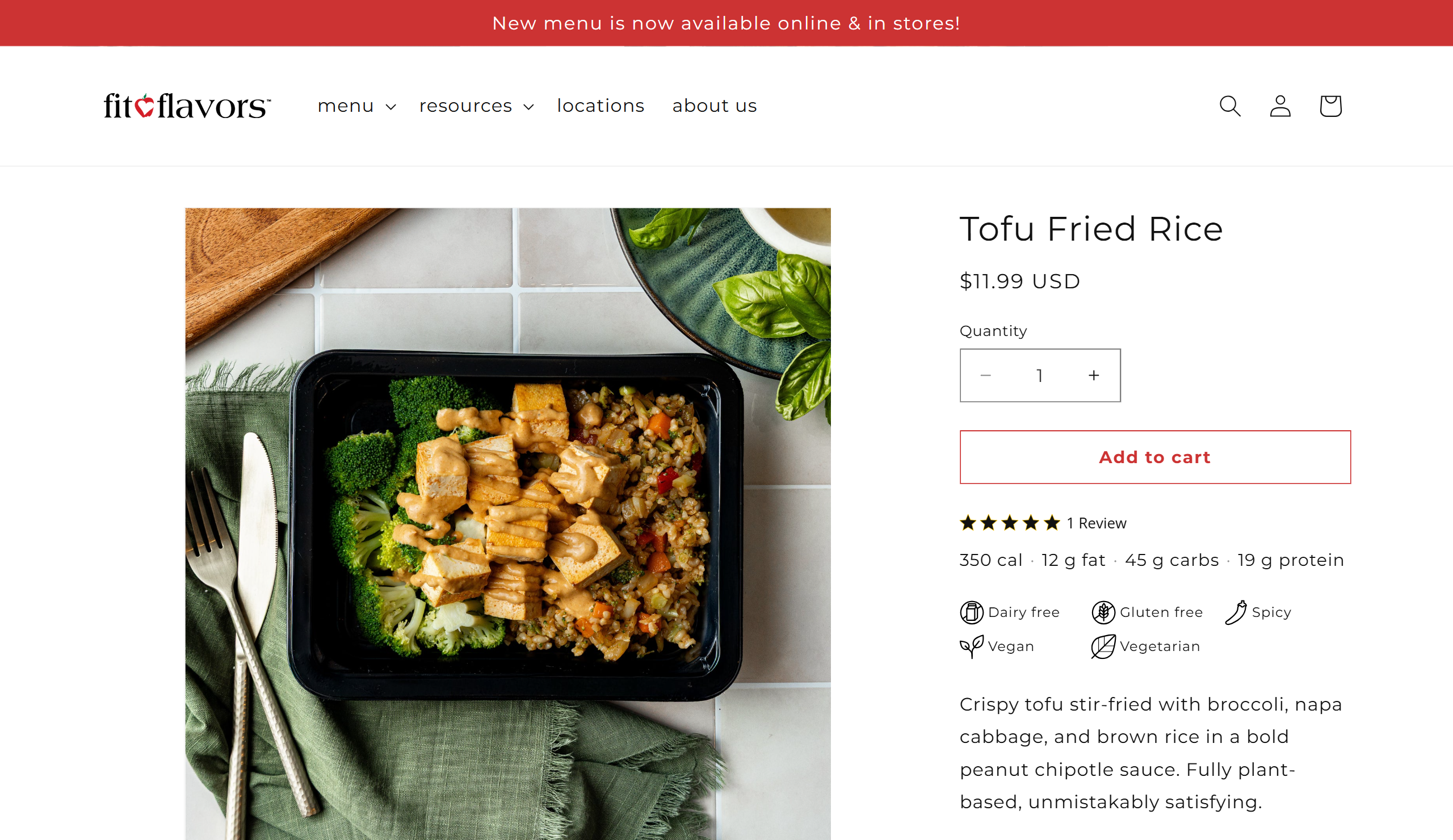
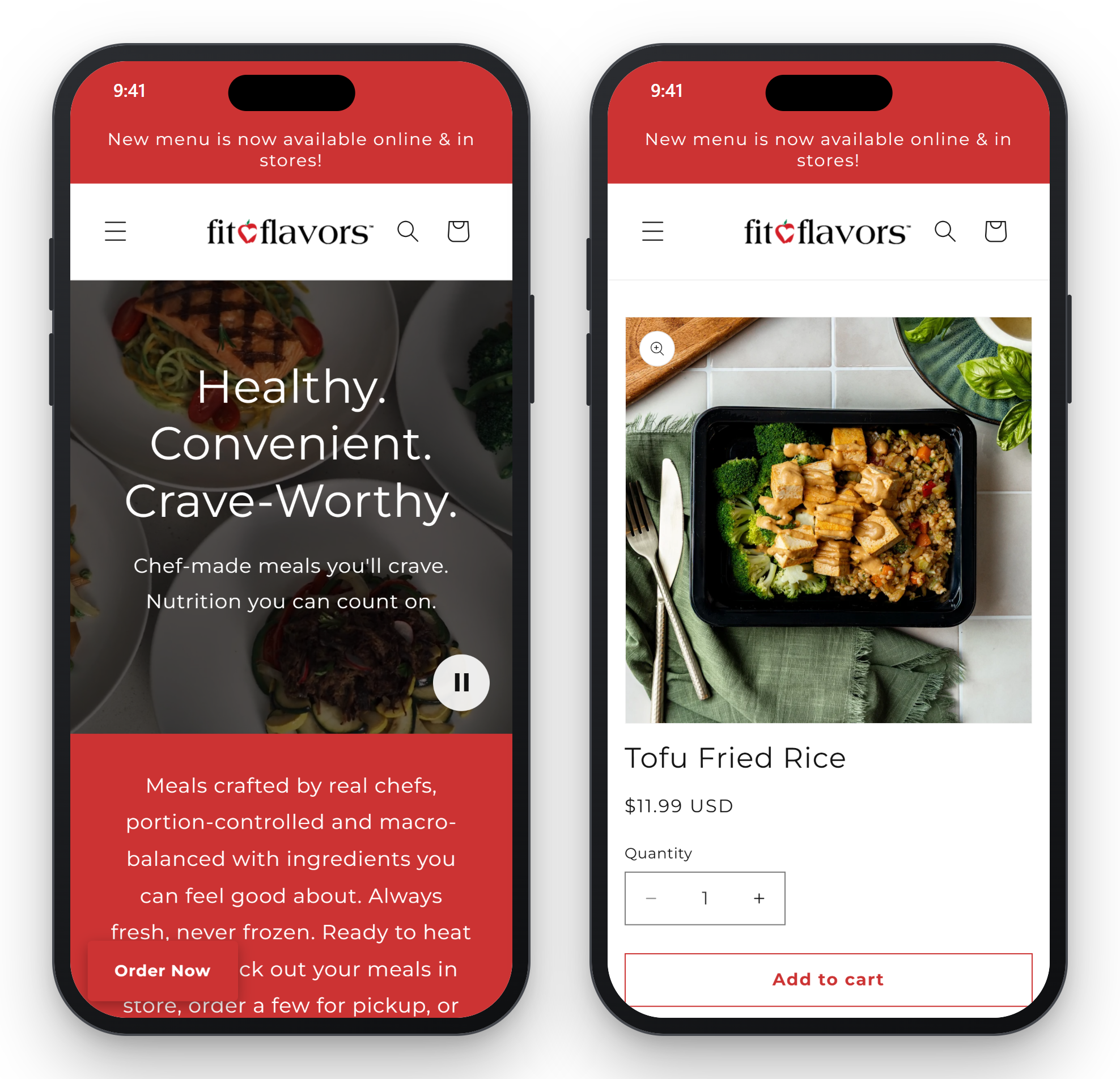
fit-flavors sells healthy prepared meals online and in its stores. The owners wanted everyone to be able to order from their Shopify store, including people who use a keyboard or a screen reader. I rebuilt the store on Shopify’s Dawn theme in under two months, turned the nutrition labels from pictures into real tables, and moved the pickup and delivery step out of the cart. Today the store passes Core Web Vitals on real mobile visits, and WebAIM’s WAVE checker reports 0 errors on the home and product pages.
The problem
The problem
Over several years, fit-flavors theme filled up: upsells, notices, and icons on every page. There was too much of everything, and it presented many issues for users whether they used a screen reader or not.
Two problems stood out.
- The nutrition labels were images. A Nutrition Facts label holds about 20 values. Alt text cannot carry that in a usable way: a screen reader user gets one long sentence, or nothing. An automated checker does not catch this, because an image with any alt text passes.
- The cart had a required step. Shoppers had to choose pickup or delivery, and a date, on the cart page before checkout would open. It was easy to miss and hard to recover from.
The constraints:
- The store had to keep taking orders the whole time.
- The critical apps had to stay: pickup and delivery (Zapiet), subscriptions, and reviews. Their markup is injected by the app, so the theme cannot fix it at the source.
- Under two months, start to finish.
What I built
What I built
A clean start on Dawn
A clean start on Dawn
I scoped two options: repair the old theme, or rebuild on Dawn, Shopify’s own reference theme. Making the old theme conform was uncertain, and the owners also wanted a less crowded store. Dawn won.
The old theme stayed live and took orders while I built the new one unpublished. I logged every change to Dawn in one file, with the reason and the WCAG criterion it serves, so the theme can still take Dawn updates.
Nutrition labels as real tables
Nutrition labels as real tables
This was the hardest problem, and the one I am proudest of.
The kitchen keeps its recipes in Galley, a recipe management system. I wrote a Google Apps Script that pulls each recipe’s nutrition data from Galley’s GraphQL API into a spreadsheet. The script then generates each label as HTML: a heading, the serving size, and a table with real row and column headers. That HTML goes into a field on the product, and the theme renders it under the description.
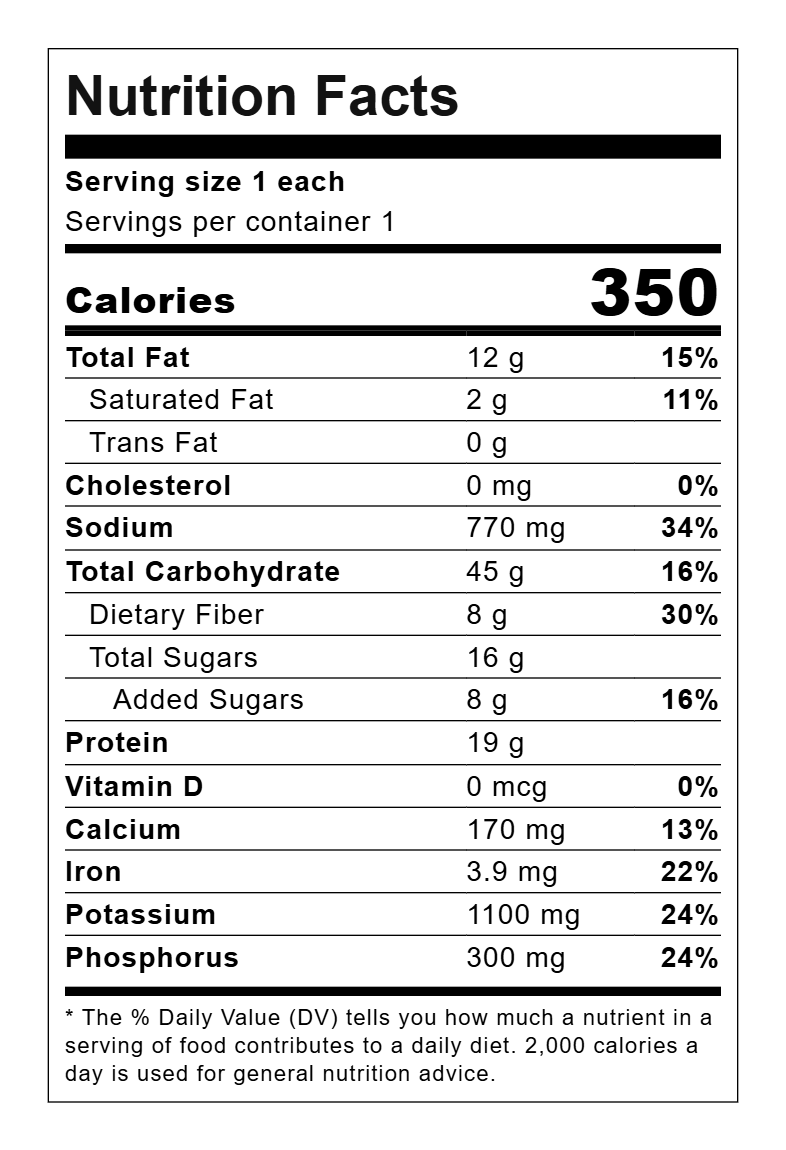
A screen reader user can now move through the label row by row and hear “Sodium, 770 mg, 34%” instead of a picture. The label still looks like the FDA format a shopper expects.
Here is the same label, live. Select the text, or zoom the page: it stays sharp, because it is text. The colors come from this page, so the label also follows this site’s dark and high contrast modes. The store itself has no dark mode, but the label would support one.
Nutrition Facts
Serving size 1 each
Servings per container 1
| Nutrient | Amount | % Daily Value |
|---|---|---|
| Total Fat | 12 g | 15% |
| Saturated Fat | 2 g | 11% |
| Trans Fat | 0 g | |
| Cholesterol | 0 mg | 0% |
| Sodium | 770 mg | 34% |
| Total Carbohydrate | 45 g | 16% |
| Dietary Fiber | 8 g | 30% |
| Total Sugars | 16 g | |
| Added Sugars | 8 g | 16% |
| Protein | 19 g | |
| Vitamin D | 0 mcg | 0% |
| Calcium | 170 mg | 13% |
| Iron | 3.9 mg | 22% |
| Potassium | 1100 mg | 24% |
| Phosphorus | 300 mg | 24% |
* The % Daily Value (DV) tells you how much a nutrient in a serving of food contributes to a daily diet. 2,000 calories a day is used for general nutrition advice.
View the label’s HTML
This is the markup the script generates, as the store serves it. On the store the title is an h2; in the live copy above it is an h4, to fit this page’s heading outline.
<div class="nutrition-facts" role="region" aria-label="Nutrition Facts">
  <h2 class="nutrition-facts__title">Nutrition Facts</h2>
  <p class="nutrition-facts__serving"><span class="nutrition-facts__serving-label">Serving size</span> <span class="nutrition-facts__serving-value">1 each</span></p>
  <p class="nutrition-facts__servings-per-container">Servings per container 1</p>
  <div class="nutrition-facts__calories"><span class="nutrition-facts__calories-label">Calories</span> <span class="nutrition-facts__calories-value">350</span></div>
  <table class="nutrition-facts__table">
    <thead class="nutrition-facts__head"><tr><th scope="col">Nutrient</th><th scope="col">Amount</th><th scope="col">% Daily Value</th></tr></thead>
    <tbody>
      <tr class="nutrition-facts__row"><th scope="row" class="nutrition-facts__nutrient">Total Fat</th><td class="nutrition-facts__amount">12 g</td><td class="nutrition-facts__dv">15%</td></tr>
      <tr class="nutrition-facts__row nutrition-facts__row--indent-1"><th scope="row" class="nutrition-facts__nutrient">Saturated Fat</th><td class="nutrition-facts__amount">2 g</td><td class="nutrition-facts__dv">11%</td></tr>
      <tr class="nutrition-facts__row nutrition-facts__row--indent-1"><th scope="row" class="nutrition-facts__nutrient">Trans Fat</th><td class="nutrition-facts__amount">0 g</td><td class="nutrition-facts__dv"></td></tr>
      <tr class="nutrition-facts__row"><th scope="row" class="nutrition-facts__nutrient">Cholesterol</th><td class="nutrition-facts__amount">0 mg</td><td class="nutrition-facts__dv">0%</td></tr>
      <tr class="nutrition-facts__row"><th scope="row" class="nutrition-facts__nutrient">Sodium</th><td class="nutrition-facts__amount">770 mg</td><td class="nutrition-facts__dv">34%</td></tr>
      <tr class="nutrition-facts__row"><th scope="row" class="nutrition-facts__nutrient">Total Carbohydrate</th><td class="nutrition-facts__amount">45 g</td><td class="nutrition-facts__dv">16%</td></tr>
      <tr class="nutrition-facts__row nutrition-facts__row--indent-1"><th scope="row" class="nutrition-facts__nutrient">Dietary Fiber</th><td class="nutrition-facts__amount">8 g</td><td class="nutrition-facts__dv">30%</td></tr>
      <tr class="nutrition-facts__row nutrition-facts__row--indent-1"><th scope="row" class="nutrition-facts__nutrient">Total Sugars</th><td class="nutrition-facts__amount">16 g</td><td class="nutrition-facts__dv"></td></tr>
      <tr class="nutrition-facts__row nutrition-facts__row--indent-2"><th scope="row" class="nutrition-facts__nutrient">Added Sugars</th><td class="nutrition-facts__amount">8 g</td><td class="nutrition-facts__dv">16%</td></tr>
      <tr class="nutrition-facts__row"><th scope="row" class="nutrition-facts__nutrient">Protein</th><td class="nutrition-facts__amount">19 g</td><td class="nutrition-facts__dv"></td></tr>
      <tr class="nutrition-facts__row"><th scope="row" class="nutrition-facts__nutrient">Vitamin D</th><td class="nutrition-facts__amount">0 mcg</td><td class="nutrition-facts__dv">0%</td></tr>
      <tr class="nutrition-facts__row"><th scope="row" class="nutrition-facts__nutrient">Calcium</th><td class="nutrition-facts__amount">170 mg</td><td class="nutrition-facts__dv">13%</td></tr>
      <tr class="nutrition-facts__row"><th scope="row" class="nutrition-facts__nutrient">Iron</th><td class="nutrition-facts__amount">3.9 mg</td><td class="nutrition-facts__dv">22%</td></tr>
      <tr class="nutrition-facts__row"><th scope="row" class="nutrition-facts__nutrient">Potassium</th><td class="nutrition-facts__amount">1100 mg</td><td class="nutrition-facts__dv">24%</td></tr>
      <tr class="nutrition-facts__row"><th scope="row" class="nutrition-facts__nutrient">Phosphorus</th><td class="nutrition-facts__amount">300 mg</td><td class="nutrition-facts__dv">24%</td></tr>
    </tbody>
  </table>
  <p class="nutrition-facts__daily-value-note">* The % Daily Value (DV) tells you how much a nutrient in a serving of food contributes to a daily diet. 2,000 calories a day is used for general nutrition advice.</p>
</div>
The field is editable, and the theme prints it on every product page. So the theme prints the HTML only when it has the expected label wrapper and contains no script, frame, or event-handler code. Anything else falls back to the label image, so a bad paste cannot break or compromise a product page.
Pickup and delivery moved to checkout
Pickup and delivery moved to checkout
I moved the Zapiet pickup and delivery step from the cart page into Shopify checkout. The cart now has one clear next step. I also hid the express checkout buttons on the cart, because they could skip the pickup and delivery choice.
Repairs for app markup
Repairs for app markup
Apps render their own markup, and some of it had unlabeled fields, empty headings, or buttons with a blank name. The theme cannot edit that markup at the source. I added small scripts that repair it after it loads, and again each time the app re-renders. Each repair applies only where the problem exists, so it never overrides a label the app supplies.
Testing
Testing
I tested with axe for automated checks, keyboard-only passes through browsing, product pages, and the cart, and the NVDA screen reader.
After launch I ran WAVE, WebAIM’s free checker, on the live store. It flagged decorative icons, from Dawn and from the apps, as images without alternative text. Each one was inside a button or link that already had a name, or inside hidden content, so none of them blocked a screen reader user. I hid them from assistive technology anyway. A store owner or an auditor who runs a free scanner should see the store’s real state, not noise. In the same pass I made the keyboard focus ring a solid outline with about 18:1 contrast against the white page.
My role
My role
I was the sole developer. I worked with the client’s internal team. They built some of the home page sections themselves with Shopify’s AI block generator. I tested each of those sections against the same accessibility requirements as my own work, and fixed what did not pass.
Results
Results
- Shipped in under two months. The store took orders the whole time.
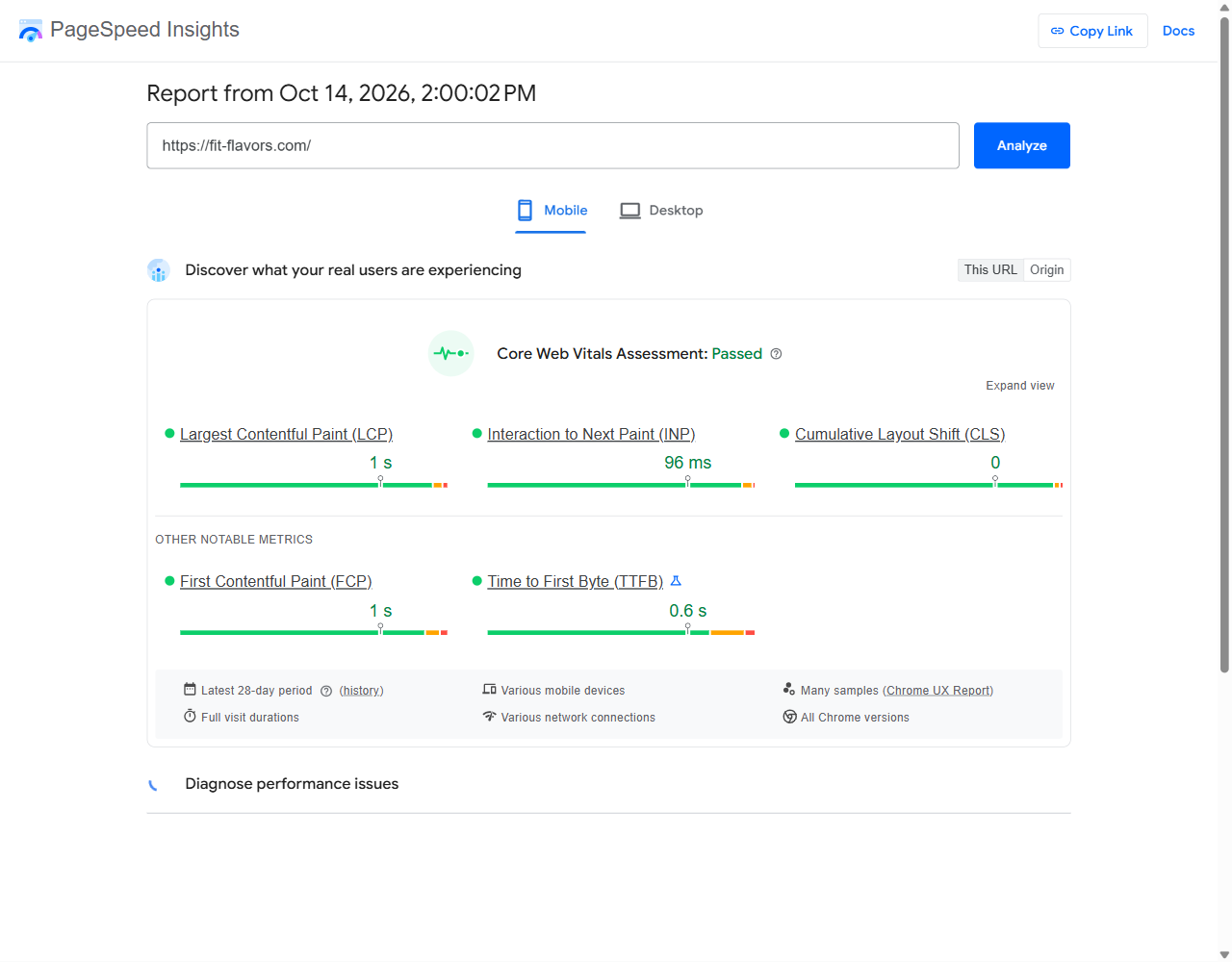
- Core Web Vitals: passed on real mobile visits (Chrome UX Report, 28 days to October 14, 2026). Largest Contentful Paint 1 s, Interaction to Next Paint 96 ms, Cumulative Layout Shift 0.
- WAVE: 0 errors and 0 contrast errors on the home page and a product page (October 15, 2026).
- Nutrition labels are real tables that a screen reader reads cell by cell.
- The client reports no complaints about the new store.
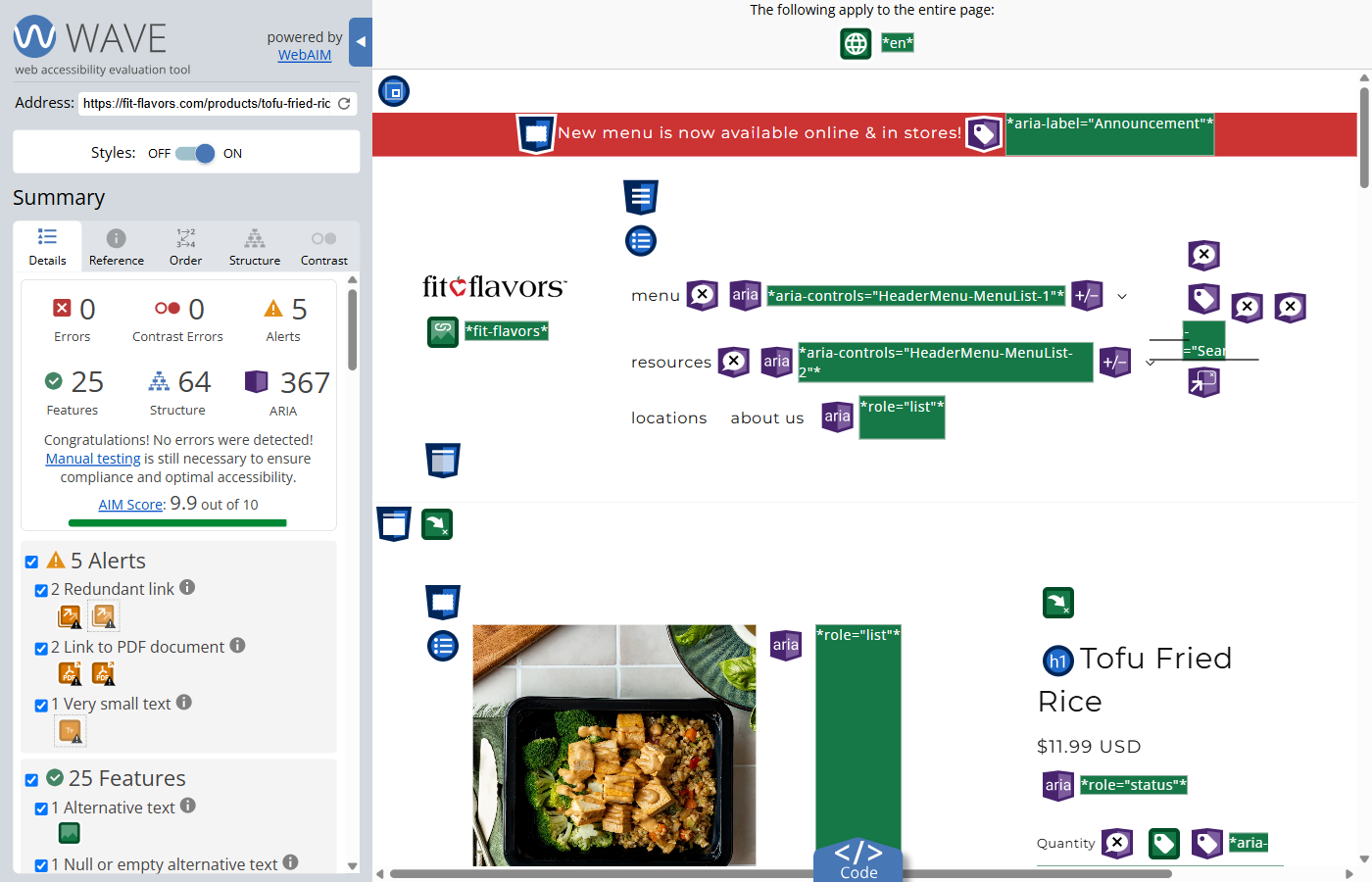
A clean WAVE scan does not prove conformance. Automated tools find only some accessibility problems. It is one signal, next to the keyboard and screen reader testing.
I still support the store. I built packing slip templates that sort orders for the kitchen, and I configure the subscription and pickup and delivery apps.
What I would do differently: more screen reader testing, earlier. I now automate part of it with Guidepup, which drives a real screen reader from a test script.
Need this for your store?
Need this for your store?
I help Shopify and WordPress store owners find and fix accessibility problems. Run WAVE on the Tofu Fried Rice page yourself to check the results above.